> ## Documentation Index
> Fetch the complete documentation index at: https://docs.portalhq.io/llms.txt
> Use this file to discover all available pages before exploring further.
# Webhooks
> Set up Noah Dashboard webhooks to receive KYC, payin, and payout lifecycle events.
## Overview
Configure webhooks directly in Noah Dashboard. Portal does not relay Noah webhook events.
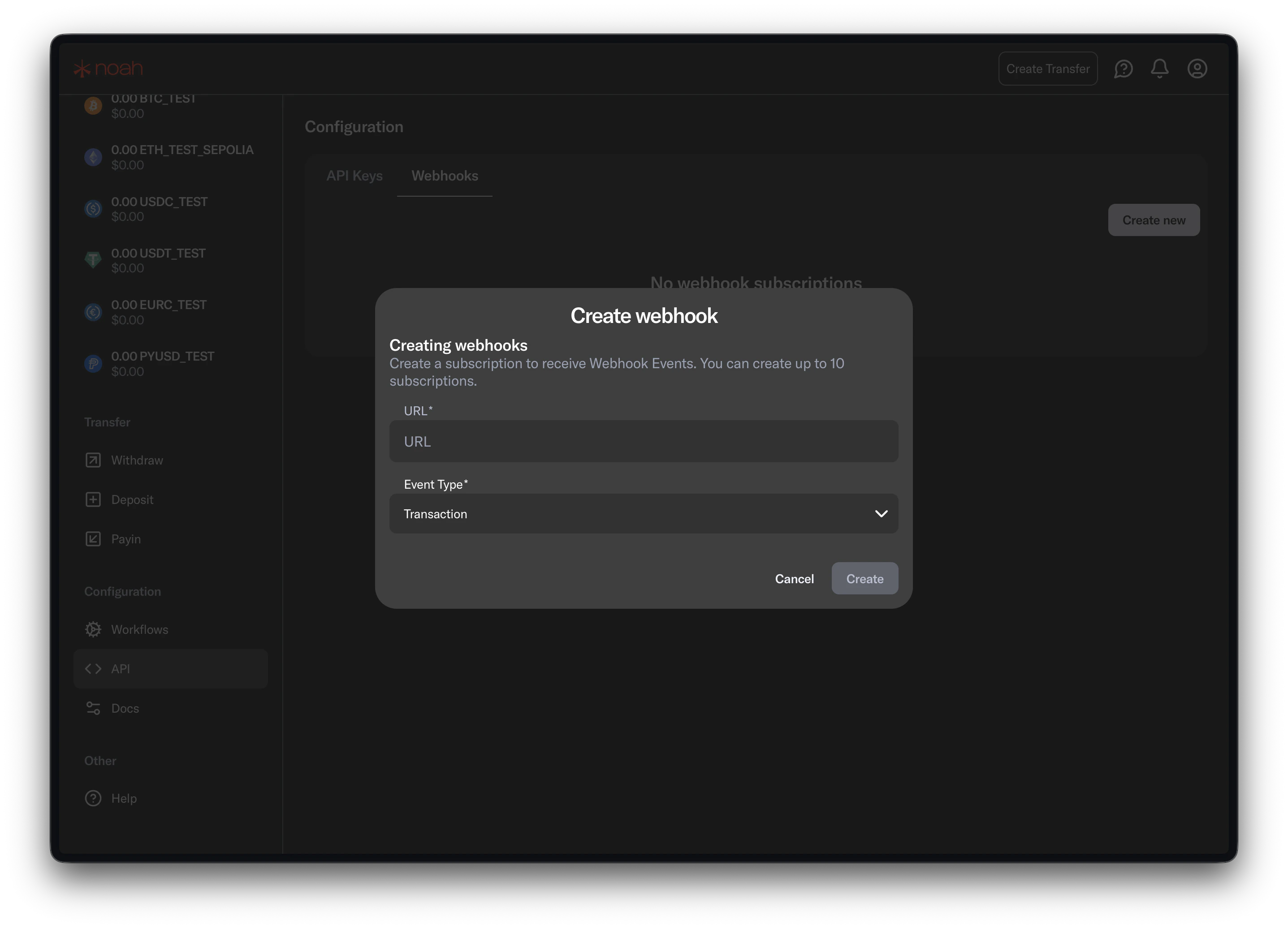
## 1. Add your endpoint in Noah Dashboard
1. Open Noah Dashboard (correct environment).
2. Go to webhook settings.
3. Add your HTTPS webhook URL.
4. Save.
 ## 2. Select events
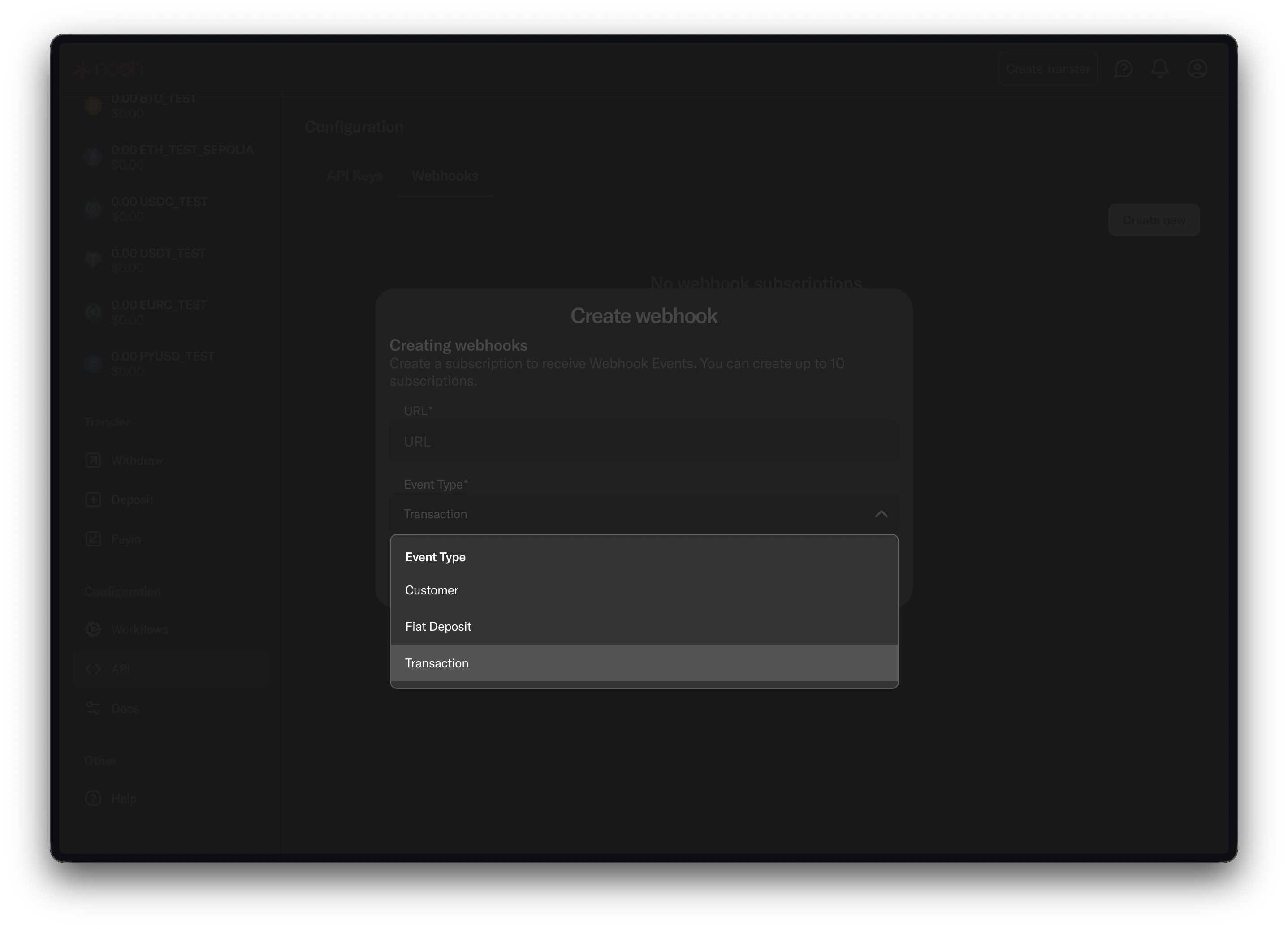
Subscribe to:
* `Customer` (KYC lifecycle)
* `FiatDeposit` (payin updates)
* `Transaction` (payin/payout transaction updates)
## 2. Select events
Subscribe to:
* `Customer` (KYC lifecycle)
* `FiatDeposit` (payin updates)
* `Transaction` (payin/payout transaction updates)
 ## 3. Verify delivery
* Send a test event from Noah Dashboard.
* Confirm your endpoint returns `2XX`.
* Process events asynchronously after acknowledgment.
## 3. Verify delivery
* Send a test event from Noah Dashboard.
* Confirm your endpoint returns `2XX`.
* Process events asynchronously after acknowledgment.