

Overview
An application fee is your markup on top of Due’s own fees, charged on every transfer. You configure it once per environment in the Portal Dashboard, and Portal applies it to every quote, transfer, and virtual account. Your clients see the fee in their quotes but cannot change it.How enforcement works
Portal enforces fees server-side. On every quote, transfer, and virtual-account update, Portal strips anyapplicationFeeBps or applicationFeeAmount a client sends and injects the fee you
configured. A client can include those fields in a request, but they are always ignored in
favor of your configuration.
The fee is applied to a single side of each transfer (the side you choose), not to both
sides.
Configure fees in the Portal Dashboard
- Open the Portal Dashboard.
- Navigate to the
Integrationspage and open yourDueintegration. - Under
Application fees, set your fee:Fee: the percentage you add on top of Due’s fees.Flat fee: an optional fixed amount added per transfer.Charge on: whether the fee comes from the amount sent (Source) or the amount received (Destination).Different fees per direction: enable this to set separate fees for pay-ins (fiat to crypto) and pay-outs (crypto to fiat). Anything left blank inherits the default.
- Save.
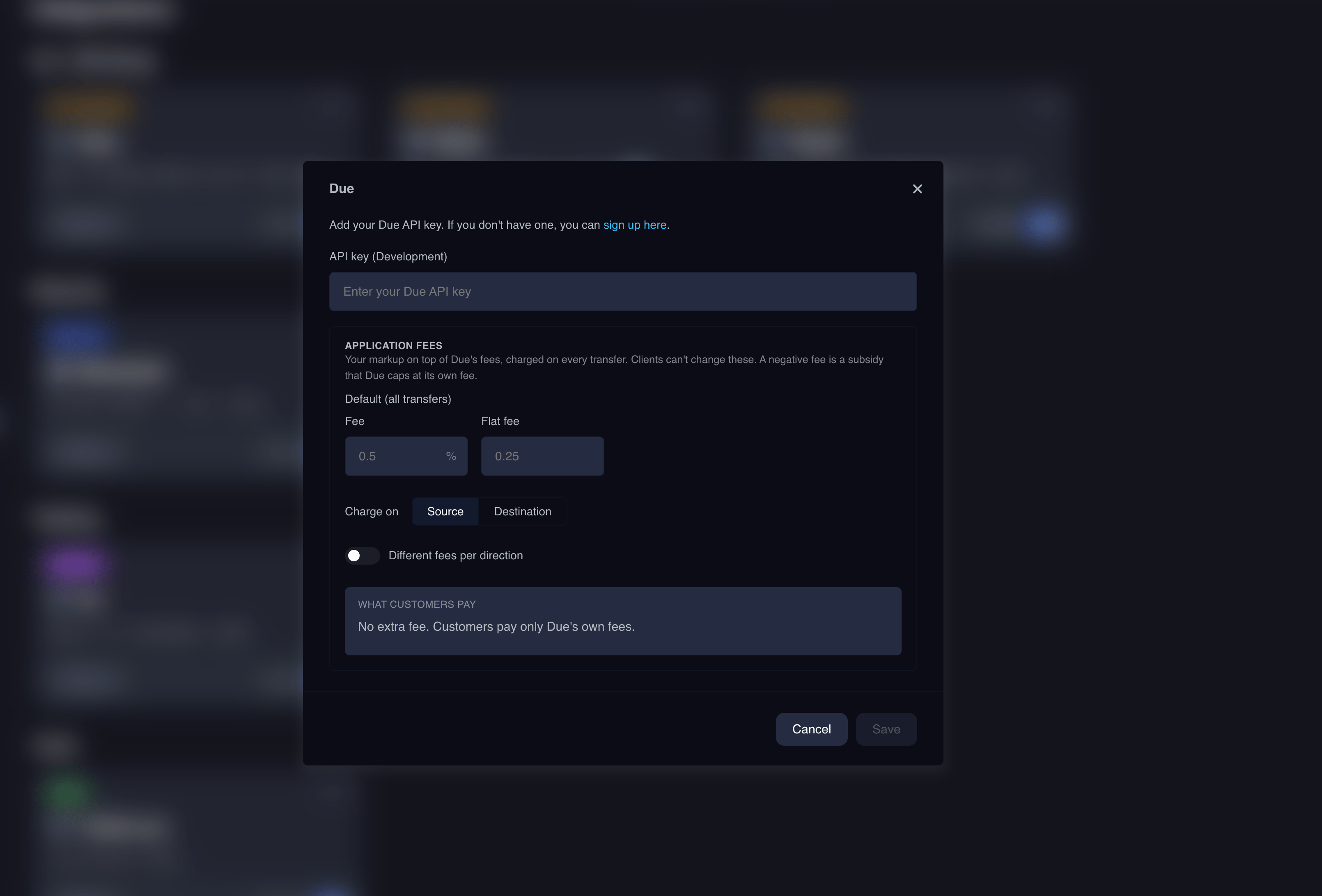
The fee model
- Percentage and flat: set either or both. The percentage applies to the charged side’s amount; the flat fee is added on top.
- Default and per-direction: the default fee applies to every transfer. Optional pay-in and pay-out overrides take precedence for their direction and fall back to the default when left blank. Direction is derived from the transfer: fiat to crypto is a pay-in, crypto to fiat is a pay-out. Virtual account deposits use the pay-in fee.
- Charge on:
Sourcetakes the fee from the amount the customer sends;Destinationtakes it from the amount they receive. - Subsidies: a negative percentage subsidizes the customer instead of charging them. Due caps the subsidy at its own fee.