

Turn it on
Step 1: In the dashboard, click Configure in the left sidebar, under Authentication, and select the environment. Step 2: In the TOTP section, turn on Require TOTP. Step 3: Set TOTP issuer to your product name. This is the label the user sees next to the code in their authenticator app, so make it recognizable.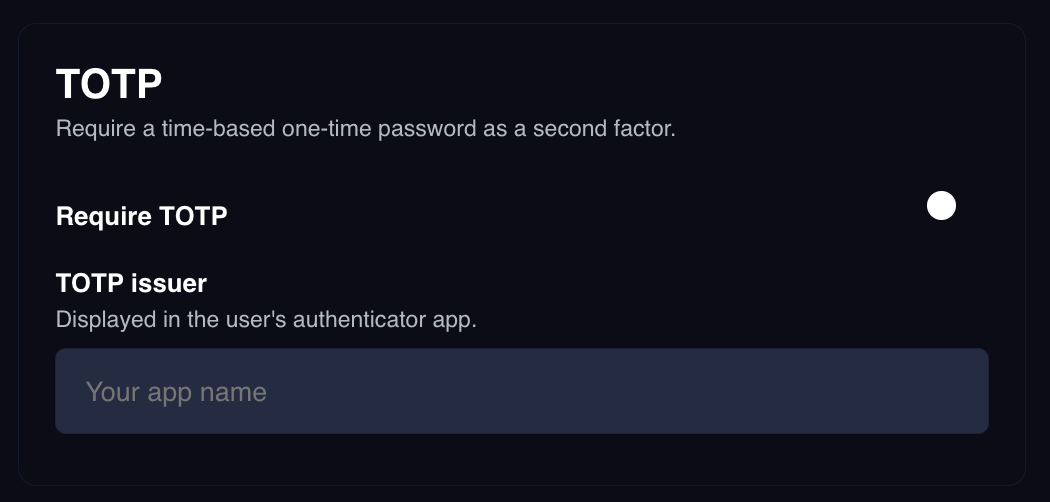
What changes in your sign-in code
With two-factor off, a validation response carries the Client Session Token and the sign-in is done. With it on, that same response comes back withclientId,
clientSessionToken, and isAccountAbstracted set to null, and a userJwt
instead. Only endUserId is present on both shapes.
There are three possible shapes. Branch on clientSessionToken:
- Two-factor not required
- Required, user enrolled
- Required, first sign-in
clientSessionToken to initialize a Portal SDK.clientId and isAccountAbstracted are null on both two-factor shapes because
the sign-in has not completed yet. They come back from the TOTP validation below,
alongside the Client Session Token.
Enrollment
totpLink is an otpauth:// URI, the standard format authenticator apps expect.
Render it as a QR code.
totpLink is returned only until the user’s first successful code entry. After
that they are enrolled, and later sign-ins return userJwt with totpLink set to
null. If a user abandons the sign-in before entering a code, they are still not
enrolled and will get a totpLink again next time.
Validate the code
Send theuserJwt as a Bearer token alongside your Auth Environment ID:
userJwt identifies
the half-finished sign-in.
The client is created, or reused, at the end of the sign-in, which is why
clientId and isAccountAbstracted come back from this call rather than from the
token exchange. If you opted into
gas sponsorship when the
sign-in started, that choice travels in the userJwt, so this request takes no
isAccountAbstracted parameter of its own.
Reset a user’s authenticator
If a user loses their device, reset their enrollment from the dashboard. Go to Authentication > End Users, open the user, and reset their TOTP enrollment. Their next sign-in returns a freshtotpLink so they can set up a new
authenticator. See End users.
Next steps
End users
Review who has signed in and reset two-factor enrollment.
API reference
Full reference for the TOTP validation endpoint.